Kaeonix is our AI coding assistant, powered by Avatar. It brings coding help to your browser and terminal, with an API for developers connecting their own tools. Chat and Code are in early access, and the waitlist is open.
Working on a codebase
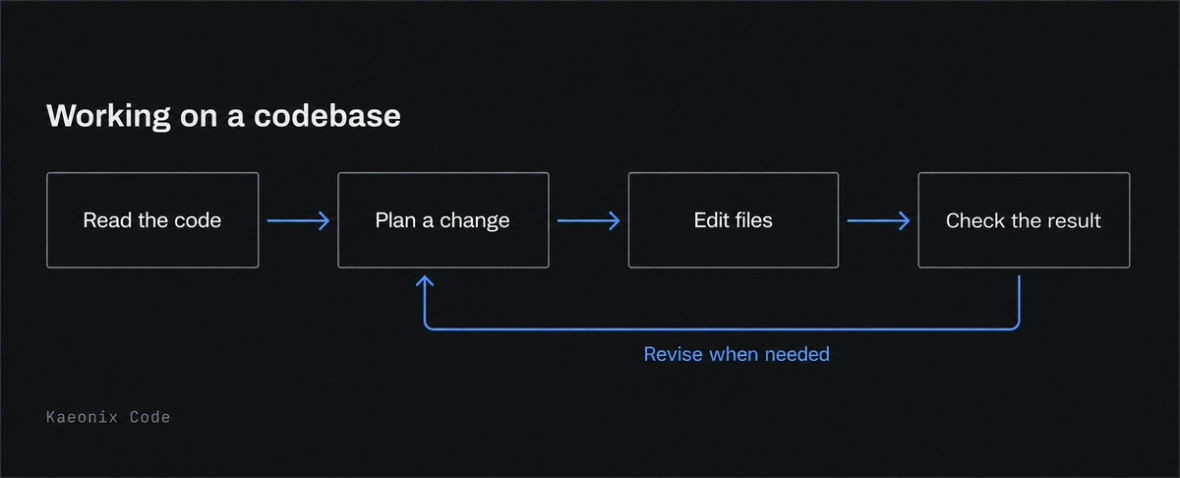
A useful coding assistant needs to do more than suggest a snippet. It needs to read the surrounding code, make a change and check the result. That is the work we are focusing on with Kaeonix.
In Kaeonix Code, the assistant can inspect a repository, edit files and run commands. Plan mode lets you review an approach before changes begin. Sandboxing controls where commands run, and subagents can take on parts of a larger task.
Keeping track of the work
A coding session can include files, diffs and tool output. When a change spans several files, the assistant needs enough context to understand how they fit together. Repeatedly reading unrelated code or retrying a failed edit adds time and cost.
Our approach is to read the parts of a file that a task needs, reuse context where possible and use compiler output to guide corrections. Subagents have their own context and budgets, so their work does not all have to sit in the main conversation.
The goal is to spend less time repeating work and keep useful context available for longer. We care about the cost of finishing a task, including the turns and corrections it takes to get there.
Chat, Code and the API
Kaeonix Chat
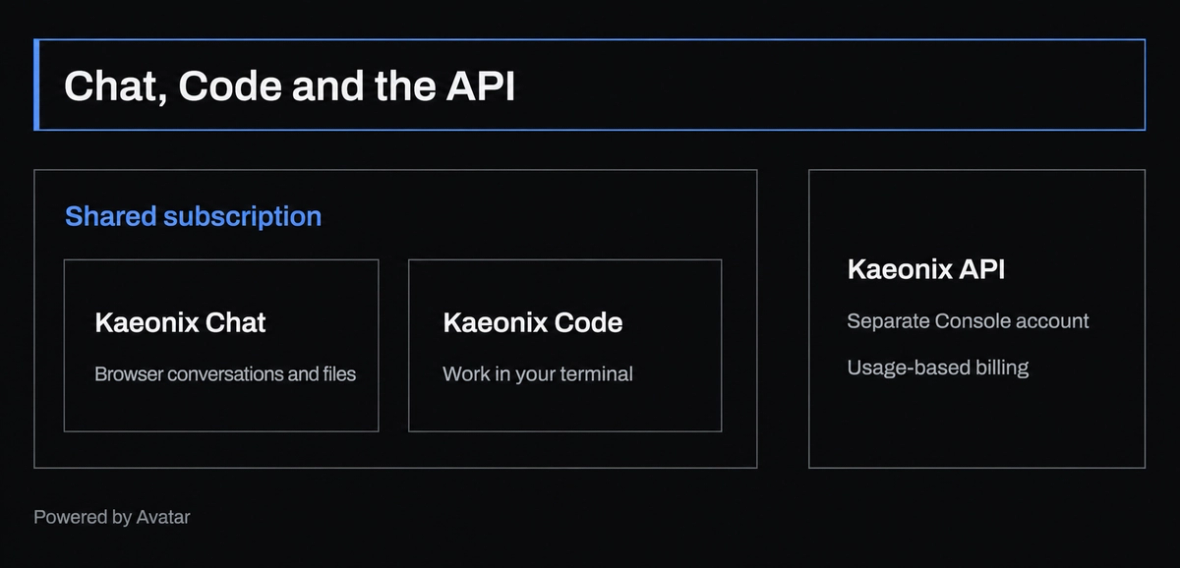
Use Avatar in your browser. Attach project files, keep longer conversations and share sessions when someone else needs the context. Chat is included with Kaeonix subscriptions.
Kaeonix Code
Work from your terminal with repository access, plan mode, sandboxing and subagents. Code is included in the same subscription as Chat.
Kaeonix API
The OpenAI-compatible API lets you connect Avatar to your own agents, editors and pipelines. It uses project API keys, a separate Console account and usage-based billing. The API does not share the Chat and Code subscription balance.
Why we are working on this
We want an assistant that can stay useful through a software task, including the checks and fixes that follow the first edit. Developing Avatar alongside the tools in Kaeonix lets us work on the model and the way it interacts with a codebase together.
Running cost matters to that goal. A low token price alone does not tell you what a task will cost if the assistant needs many attempts to finish it. That is why we focus on the work completed over a session.
Join the waitlist
We are opening access to Kaeonix Chat and Code in small groups. Leave your email at kaeonix.com and we will let you know when a spot opens. The website also lists the current subscription plans.